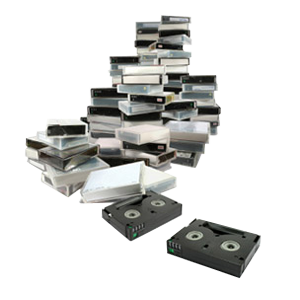
Preserve your home movies with a professional VHS to digital transfer in Los Angeles from DVD Your Memories, a local leader in media conversion services. Our local technicians convert VHS tapes to DVD, USB, or digital files so you can watch, edit, and share your family history footage with modern devices. You may want a simple VHS to DVD transfer or a high-quality digital file for long-term storage. We provide reliable video tape conversion that protects the detail and emotion in your original recordings.
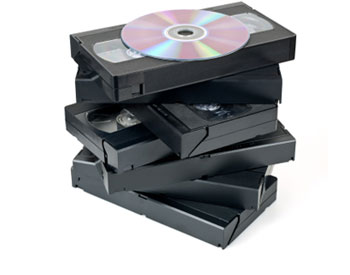
Save 10% on 6 or more tapes or Save 20% on 20 or more tapes
| Transfer to Digital File or DVD | Transfer to Digital File and DVD |
|
|---|---|---|
| Pricing (per tape)* | $29.99 | $39.99 |
| *Above pricing applies to video tapes up to 2 hours, tapes exceeding that time are $10 per each additional 2 hours. | ||
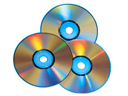
Sharing your memories with others? We provide extra CD/DVD copies packaged and ready for only $10 each, and Blu-ray copies for $20 each.
$10 per CD / DVD
$20 per Blu-ray disc
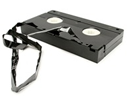
Many of us grew up with VHS tapes, but few know how the format began. The Video Home System (VHS) and its recorder were developed in 1976 by JVC. The format used a linear method of storing video, and the name originally stood for Vertical Helical Scan, which described the recording technology.
Although Sony’s Betamax was the main competitor, several other companies attempted to create their own tape or disc systems. These alternatives never caught on. VHS gained popularity because it offered several advantages, including:
The format reached a major milestone when The Lion King sold over 30 million VHS copies in the United States. VHS remained the leading home video format for nearly twenty years.

By the early 2000s, DVDs became more efficient and affordable. As DVD sales surged, VHS rapidly declined. Key moments in that transition include:
Even with the decline, an estimated 90 million VHS players were still functioning in homes by 2005.
VHS tapes had a long and meaningful run, shaping how families recorded and shared memories. As high-definition formats take over, older tapes continue to degrade. Digitizing VHS today allows you to preserve the history, emotion, and footage stored on tapes that may no longer play correctly.
You may still have your old VHS home movies that you want to preserve but do you still have something to play it on? Transferring your memories to a DVD means you don’t have to dig your old VHS player out of the attic when you want to watch your family history, meaning you can get more joy out of those movies.
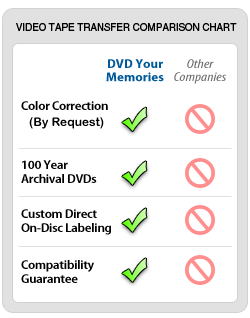
We record every VHS to DVD transfer on the highest-quality 100-year archival discs, like those from Taiyo Yuden. These discs offer excellent stability and long-term reliability. We guarantee compatibility with nearly all standard DVD players and televisions, giving you confidence that your videos will play smoothly without read errors or playback issues.
When you bring multiple tapes to DVD Your Memories in Los Angeles, you can combine shorter videos onto a single DVD at no additional cost through our Los Angeles video transfer service. This option reduces clutter and creates organized compilations, such as:
Each archival DVD holds up to two hours of video. To maintain quality, combined tapes should average one hour or less.
Many customers want flexible digital files that they can edit, store, or upload, so this tape-to-digital service gives you the freedom to use your footage however you choose. If you choose to convert VHS to USB or an external hard drive, we create your files in NTSC DV AVI format. This format works with nearly all video editing software and maintains high-quality, uncompressed footage.
If you purchase a hard drive from us, we recommend a size based on your total video length. If you bring your own drive, please ensure it has enough free space. We prefer new drives to prevent data conflicts. If you bring a drive with existing files, we require a data-loss waiver as a precaution.
Every VHS to DVD transfer includes removing blank footage and applying color correction. You can also choose additional editing services to customize your final video. Add an extra touch to your finished DVD by taking advantage of some simple basic edits.
Many customers ask if they can edit their video after we create a DVD. Technically, it is possible, but it is not ideal. DVD video is highly compressed, and converting it back to an editable format causes additional quality loss. Advanced users may still choose to edit footage from a DVD, but we recommend transferring to a hard drive if editing is your goal.
In certain cases where no other media exists, we can edit footage directly from a finalized DVD. Contact our Los Angeles team if you have questions about a specific project.
Most standard VHS-to-digital Los Angeles orders are completed within a few business days. Larger orders or rare formats may require additional time.
Yes. We offer tape repair for issues like broken film, jams, or damaged shells. Repairs cost $30 per tape and must be followed by a transfer service.
You can choose DVD, USB, or digital files delivered on a hard drive or through a download link.
Both are reliable, but digital files offer more flexibility for editing, cloud storage, and long-term archiving. DVDs work well for simple viewing at home.
Yes. You can save 10% when transferring six tapes or more. Save 20% when transferring twenty or more.
We support VHS, VHS-C, Hi8, Video8, Digital8, MiniDV, MicroMV, MiniDVD, Betamax, Betacam, U-Matic, PAL, and more.
If you’re ready to convert VHS tapes to DVD, USB, or digital files, DVD Your Memories in Los Angeles is here to help. Visit our local office, bring in your tapes, and choose the format that works best for your family. Start your high-quality digital transfer today and protect your memories for the future.
DVD Your Memories currently offering services in these and nearby Los Angeles areas:
Beverly Hills, Redondo Beach, Manhattan Beach, Bel-Air, Brentwood, Pacific Palisades, Santa Monica, West Hollywood, Hermosa Beach, Torrance, Studio City, Encino