


Audio sync problems in video transfers can make old family tapes, home movies, recital footage, interviews, and event recordings feel distracting or difficult to watch. When the audio and video are out of sync, the issue may look simple on the surface. You press play, and the voices don’t match the mouths. The sound may run slightly ahead, or the video may lag behind audio as the file continues playing.
In many cases, the problem starts before the digital file ever reaches your computer. Tape condition, playback equipment, frame rate handling, capture hardware, and encoding settings can all affect audio-video sync during a video transfer.
Why Audio & Video Fall Out Of Sync
Audio synchronization depends on timing. During a video transfer, the system must capture the picture and sound at the same pace, then encode them into a digital file that keeps both tracks aligned.
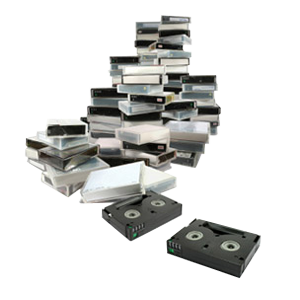
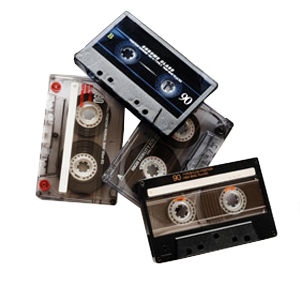
Older tape formats don’t always play back with perfect consistency. VHS, camcorder tapes, Betamax, Hi8, MiniDV, and other aging formats may contain stretched tape, damaged sections, tracking issues, or unstable playback speed. When the source tape sends inconsistent information into the capture system, the final file can develop sync problems.
A small timing issue may not seem noticeable at first. Over a longer recording, though, that slight drift can grow. By the end of the tape, the audio may no longer match the video.
Old Playback Equipment Can Cause Audio-Video Sync Errors
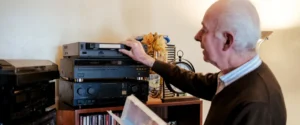
Playback equipment matters as much as the tape itself. A consumer VCR or camcorder may still turn on, but that doesn’t mean it can provide a stable signal for digitizing.
Older machines can have worn belts, dirty heads, weak motors, or inconsistent tape transport. These issues can cause the video signal to fluctuate while the audio continues at a different pace. The result may look like the video lagging behind audio, even when the original recording had no obvious problem.
Professional transfer setups use calibrated playback equipment designed to reduce signal instability. That doesn’t make every damaged tape perfect, but it gives the transfer a much better starting point.
Frame Rate Conversion Can Throw Off Audio Synchronization
Frame rate affects how many video frames play each second. When a transfer process converts footage from one frame rate to another, the audio must stay matched to the new timing. Problems can happen when software interprets the footage incorrectly or forces a conversion that doesn’t match the source. Even a small mismatch can create gradual sync drift.
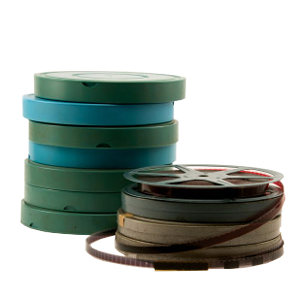
For example, old home movies, camcorder tapes, and digital video formats may not all behave the same way during capture. A transfer workflow should preserve the proper timing whenever possible, then convert only when needed for the final file format.
Encoding Settings Can Make Sync Problems Worse
After capture, the video must become a digital file. Encoding compresses the picture and audio into a format you can watch, store, and share. Poor encoding settings can introduce new sync issues even if the original capture was stable. Key encoding factors include:
- Codec Selection: The wrong codec may cause playback delays on certain devices.
- Variable Frame Rate: Some devices struggle when the frame rate changes throughout the file.
- Audio Sample Rate: Mismatched audio settings can make the sound drift over time.
- Compression Level: Heavy compression may create playback stutter or timing delays.
- File Container: Some formats handle audio and video timing more reliably than others.
Why DIY Transfers Can Struggle With Long Recordings
DIY transfer devices can work for simple tapes, but they often struggle when the recording runs long or the tape has instability. Many consumer capture devices depend on the source signal staying clean from start to finish. If the tape drops frames during capture, the audio may keep moving while the video skips or slows. The final file may still play, but the timing won’t feel right.
Long family tapes, wedding videos, school performances, and local history recordings deserve extra attention because a small sync issue can affect important moments. A careful transfer process helps protect the pacing, dialogue, music, and natural timing of the recording.
How A Professional Video Transfer Service Helps Prevent Sync Problems
A professional video transfer service focuses on controlling the full path from tape playback to final file delivery. That includes equipment, signal handling, capture settings, file formatting, and quality review. A professional workflow may include:
- Better Source Playback: Proper decks and camcorders help stabilize older formats.
- Careful Signal Capture: The transfer process captures audio and video together with consistent timing.
- Format Matching: Correct settings reduce frame rate and codec-related sync issues.
- Quality Review: Final files receive a playback check before delivery.
- Practical File Options: You can choose formats that fit viewing, sharing, or archiving needs.
What To Check Before Sending A Tape For Transfer
You don’t need to troubleshoot everything before requesting a transfer. Still, a few simple checks can help you explain the issue and choose the right service.
- Note The Problem: Write whether the audio runs ahead, falls behind, or drifts over time.
- Check The Tape Label: Include the format, date, and any notes about damage or prior transfers.
- Avoid Rewinding Damaged Tapes: If the tape sounds strained or looks damaged, stop playback.
- Keep Tapes Dry & Cool: Store tapes away from heat, moisture, and direct sun before transfer.
- Mention Important Moments: Let the transfer team know if a specific scene needs extra attention.
Clear Audio Video Sync Starts With A Careful Transfer
Audio and video out-of-sync issues usually come from timing problems somewhere in the transfer process. Tape condition, playback equipment, frame rate conversion, encoding settings, and software shortcuts can all affect the final file.
If you have home movies, camcorder tapes, family events, interviews, or archival footage, DVD Your Memories can help you digitize them with care. Get in touch to request a professional video transfer in Southern California, or use the mail-in service to start your project from anywhere.