


Video conversion often brings up a practical question: what resolution should you choose when converting old video?
Modern screens can display sharp 1080p video quality, but older tapes don’t always contain enough detail to benefit from a large HD file. The best resolution for videos depends on the source format, the condition of the media, and how you plan to watch or share the final file. A good video transfer should preserve the recording clearly without forcing old footage into a setting that only sounds better on paper.
Old Video Has Natural Resolution Limits
Older formats like VHS, camcorder tapes, and VCR recordings were made for standard-definition televisions. They weren’t recorded for HD displays, 1080p, or 4K screens.
VHS quality often looks soft because the format stores limited image detail. Professional video conversion can capture that detail cleanly, but it can’t create true HD information that the tape never recorded. For most old tapes, the right resolution should respect the original source. Bigger files don’t automatically create better picture quality.
VHS Resolution Doesn’t Work Like Digital Resolution
VHS resolution doesn’t match modern pixel counts in a perfect way. People often compare VHS to 240p or 360p, but analog tape uses a signal instead of a fixed digital frame size. During transfer, that analog signal gets captured into a digital file. The finished file may use a standard video resolution like 480p, but the visible clarity still depends on the tape.
VCR resolution also varies by recording speed, tape condition, and playback equipment. A tape recorded in a lower-quality mode may look softer than one recorded at a better setting.
Common Video Qualities For Old Media Transfers
Different video qualities serve different uses. The right choice should support how you plan to view, store, or share the file.
- 360p: This can work for small files or quick previews, but it may look weak on larger screens.
- 480p: This often fits VHS, VCR recordings, and many standard-definition tape formats.
- 720p: This can help when you want a larger viewing file without pushing too far beyond the source.
- 1080p: This works better for higher-quality sources, editing projects, or HD delivery needs.
- 4K: This usually isn’t necessary for standard videotapes unless the project involves film-based source material.
360p Vs 1080p Can Create False Expectations
The 360p vs 1080p comparison works better for modern digital video than old tape. A 1080p file has more pixels, but it won’t turn a VHS tape into HD footage.
If the source has standard-definition detail, a 1080p export may only stretch the same image into a larger frame. It can also create a bigger file without adding real clarity. For many VHS transfers, a practical standard video size gives you a better balance of quality, storage, and playback compatibility.
480p Often Works Well For VHS And VCR Transfers
For many VHS and VCR transfers, 480p gives you a clean and practical result. It fits the standard-definition nature of the source and helps keep file sizes manageable.
A 480p transfer can still look good on a modern screen when the tape gets captured properly. The footage may look like an older recording, but it should play smoothly and preserve the memory clearly.
This resolution also works well for larger family collections. You can store, back up, and share the files without creating oversized versions that don’t add much visual value.
720p Or 1080p Video Quality Can Help Some Projects
Certain camcorder formats, digital tapes, and film transfers may contain enough detail to justify 720p or 1080p video quality. For example, MiniDVs are stored at 720×480 pixels, so capturing it at that resolution preserves all the real detail without inventing fake pixels through upscaling or losing information through downscaling. HD quality resolution can also help when you plan to edit old footage into a modern video project. A larger frame may give you more flexibility when adding titles, trimming clips, or combining old footage with newer video.
Higher resolution should still serve the project. A larger file should offer a clear benefit, not just a bigger number.
Film Resolution Needs A Different Approach
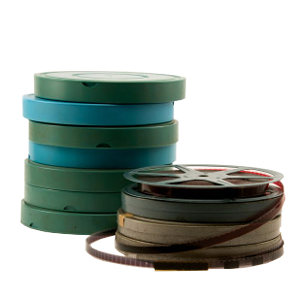
Film resolution works differently from VHS resolution. Film can hold more visual detail than many tape formats, depending on the film gauge, exposure, lens quality, and reel condition.
Because of that, old film may benefit from a higher-resolution scan. A family film archive may also need two versions: a high-quality master file for preservation and a smaller copy for easy viewing.
DVD Your Memories Helps You Choose The Right Resolution
DVD Your Memories helps customers in Southern California, as well as those using mail-in services, choose video conversion settings based on the source format, media condition, and final use. A careful recommendation may account for:
- Source Format: VHS, camcorder tapes, MiniDV, film, and other formats have different resolution limits.
- Media Condition: Damage, softness, mold, or tracking issues can affect the final result.
- Final Use: Viewing, sharing, editing, and archiving may call for different file options.
- Playback Devices: TVs, computers, mobile devices, and cloud storage can influence the best format.
- Storage Needs: Larger archives often need a smart balance between quality and file size.
Clear Resolution Choices Help Protect Your Memories
Choosing the right resolution for old video doesn’t mean picking the largest file. It means matching the digital file to the original media and the way you plan to use it.
For VHS and many VCR recordings, 480p is often appropriate. For film or higher-quality sources, 720p or 1080p may offer more value. A careful transfer helps you preserve the recording without creating unnecessary file size or fake sharpness.
If you have VHS tapes, camcorder recordings, film reels, or family videos that need careful digitizing, get in touch with DVD Your Memories for professional video conversion in Southern California. You can also use the mail-in service to start your project from anywhere.