Photo Scaninning

Photo
Scanning

Slide Scaninning

Slide Scanning

Negative Scanning

Negative Scanning

Video Transfer

Video Tape Transfer

Film Transfer

Film
Transfer

Audio Transfer

Audio Transfer

Slideshows

Celebration
Videos

Repair Video Tapes in South Bay

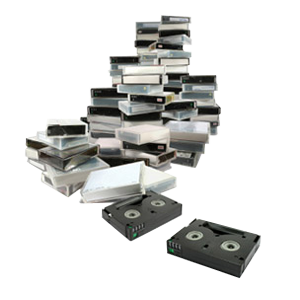
One of the most common problems with older video tapes is when the tape breaks in two. When the tape breaks, you can’t watch or transfer it before it’s fixed. Our video transfer technicians are experienced with repairing video tapes of all formats and in most cases, we can successfully transfer tapes that have been repaired.

Video Tape Repair

Tape Repair Services

VHS, VHS-C, Hi8, 8mm, Video8, Digital8, MiniDV, MicroMV, Audio Cassette, Microcassette
Type of TapeRepair Cost
Standard Formats$30.00 each
  • Tape Repair Service: Re-splicing the tape and replacing the cassette shell when necessary are included in this service. Repaired tapes must go through our tape transfer service after the repair has finished.
  • If we cannot repair your tape, there is no charge.
  • We cannot accept tapes with mold or mildew damage at this time.
  • If your tape lacks screws, we must replace the plastic casing.
  • Attempting to fix yourself? Check out our do-it-yourself guide: Video Tape Repair Guide.

Click here for Optional Add Ons

DVD to Plu-ray

Upgrade to Blu-ray

Upgrade to Blu-ray and experience the future of family media! For more information about transferring your video tapes to Blu-ray, please visit our Blu-ray transfer page.

Video Edit

Edit Your Old Home Movies!

Do your old home videos have footage you would like to take out? Or maybe you want to make a highlight video of your daughter's dance performances? Work with one of our professional editors one-on-one to make the perfect custom movie. It's quick and less expensive than you think!
$40 per half hour
If you are unable to reach one of our four locations, simply place your order online. ORDER ONLINE

Geek Corner

Video/Audio Tape Repair

Repair is needed if your tape is broken, or the tape is wrinkled and garbled such as if it was stuck in a video recorder. Broken tapes will no longer be able to be played in your VCR, or transferred to DVD until the problem has been fixed.

VHS Repair Guide

Our Denver manager, Steve, shows you how to repair your own VHS tapes. At first, you may think all hope is lost when your tape has broken, but with a professional repair job, the damage can be minimized.

Tools needed to repair your own tapes

If you wanted to repair your own tapes from home, the tools you need are pretty basic, and most everyone should have them laying around the house.
  • Splicing tape (Scotch tape can work if no splicing tape available.)
  • Phillips head screwdriver
  • Razor Blade
  • Scissors
  • Steady hands

Common types of damage

Tape Breaks

Video tapes can be damaged in a variety of ways and not all types of damage can be easily repaired. The most common type of tape damage is when the tape becomes mangled, breaks in half, becomes separated from one of the reels. The cause of this issue is generally due to the player used to play the tape. VCRs are notorious for eating up tapes and spitting them back out as a garbled mess, or broken in half. Since there are many more moving parts, the odds of something going wrong are much higher in a VCR than compared to a DVD player.

Complete Loss of Signal on the Tape

If your tape experiences a complete signal loss, meaning the tape plays perfectly fine, but no video and audio is being played, the odds of recovering the data becomes slim. Once the data has been wiped from the tape, you will never be able to retrieve it. This can be caused by a strong magnetic field which will actually wipe all of the data on your tape, as it’s stored magnetically. Storing video tapes near magnetic devices such as speakers or hard drives can cause damage similar to this.

Water and Mold Damage

Damage to your tapes caused by water can be severe if left unchecked. If caught early enough, you can prevent the onset of mold by drying your tapes in an open room with lots of airflow. Once mold sets in, it can be extremely difficult and time consuming to remove completely. Mold on your video tapes can best be described as being covered with spots of white powder or fine white dust. If you discover your tapes had been exposed to excessive moisture, it’s best to immediatly quarantine the infected tapes, and extract the data off of the tapes as soon as possible before it’s too late. The best way to extract data from the tapes while preventing further deterioration is to transfer the video either to DVD or to a hard drive as an .avi or .mov file.

Physically Damaged

Sometimes tape can be physically damaged to the point of being unplayable. This usually happens when the tape has gone through some traumatic event such as being chewed on by a dog, or run over by a car. If this happens, most of the time the data can still be recovered, you’ll just have to swap out the magnetic tape into a new shell casing. We have several types of replacement shells at our stores, so let us know if your tape has been physically damaged and needs repairs.

From the Blog

Reel-To-Reel Tape Speeds Explained

Reel-to-reel tape speeds determine how quickly a recording plays back and whether voices and music sound as intended. If you’re preparing older tapes for audio reel conversion in Southern California, matching the original recording speed is essential. The correct setting preserves the intended pitch and pace of family conversations, interviews, and musical performances. What IPS...
Read More

How To Transfer U-Matic Tapes To Digital

Transferring U-Matic tapes to digital in Southern California starts with identifying your recordings, checking their condition, and deciding how you’ll use the finished files. You don’t need to own a working tape deck to recover an interview, school production, or family recording. You do need playback equipment suited to the format, along with a transfer...
Read More

Will My Camcorder Tape Dates Be Preserved After Digitization?

Your camcorder tape dates may be preserved after digitization, but the result depends on how the camera recorded them and how the video transfer service creates the digital file. A date visible within the picture usually carries over automatically. A MiniDV date code stored separately from the video may require a different workflow. Before starting...
Read More

Why DIY VHS Transfers Often Look Worse

DIY VHS transfers often look worse because consumer playback equipment, inexpensive capture devices, and incorrect software settings can degrade the signal during conversion. The resulting video may appear softer, shakier, or more distorted than the tape did on an older television. A Working VCR Doesn’t Guarantee A Good Transfer VCRs vary considerably in playback quality....
Read More

Areas Served

DVD Your Memories currently offering services in these and nearby South Bay areas:

South Bay Cities

El Segundo, Manhattan Beach, Redondo Beach, Torrance, Palos Verdes Estates, Rolling Hills, Rolling Hills Estates, Rancho Palos Verdes, Harbor City, Harbor Gateway, San Pedro, Wilmington, Inglewood, Hawthorne, Gardena, Lawndale, Lomita, Carson