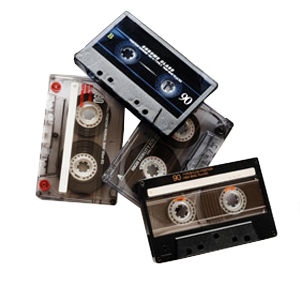




Audio dropouts and warping in old cassette tapes are common issues for Southern California residents trying to preserve aging recordings before converting them through audio cassette to digital services. Over time, cassette tape degradation affects sound clarity, playback stability, and the overall integrity of your recordings, making timely transfer essential.
How Cassette Tape Degradation Impacts Audio Quality
Cassette tapes rely on magnetic particles to store sound. As these materials break down, audio quality declines and playback becomes unreliable. Even well-stored tapes experience gradual degradation due to age alone.
Key Causes Of Cassette Tape Degradation
Several underlying issues contribute to magnetic tape degradation and long-term audio signal loss.
- Magnetic Tape Degradation: The magnetic layer loses its ability to hold audio signals, reducing fidelity.
- Cassette Tape Stretch: Repeated playback or improper storage stretches the tape, causing distortion.
- Tape Oxide Shedding: The magnetic coating flakes off, leading to missing audio and potential equipment damage.
- Tape Binder Breakdown: The adhesive holding the tape together deteriorates, causing sticking and playback issues.
What Causes Audio Dropouts In Cassette Playback
Audio dropouts occur when sections of sound briefly disappear or weaken. These interruptions often worsen as tapes continue to age.
Uneven Playback Speed Disrupts Audio Consistency
Inconsistent playback speed causes sections of a recording to run too fast or too slow. The result is noticeable distortion, along with gaps or irregularities in audio clarity, especially in tapes that have experienced wear over time.
Wow & Flutter Create Noticeable Pitch Variation
Wow and flutter describe small fluctuations in playback speed that affect pitch stability. These variations create a wavering sound that becomes more obvious as the tape and playback components age.
Tape Misalignment Leads To Intermittent Signal Loss
Improper alignment between the tape and the playback head prevents parts of the recording from being read accurately. This can cause sections of audio to fade in and out or drop entirely during playback.
Audio Signal Loss Reduces Recording Integrity
Degradation of the magnetic layer weakens the stored audio signal over time. Portions of the recording may fade or disappear, limiting how much can be recovered even with restoration.
Why Tape Warping Causes Playback Instability
Warping in the cassette shell and tape disrupts smooth movement during playback. That instability leads to uneven sound and increases the likelihood of damage.
- Environmental Impacts: Heat and humidity fluctuations distort cassette materials over time.
- Cassette Shell Damage: Cracks or warping in the shell misalign internal components.
- Tape Tension Issues: Uneven tension during storage or playback causes the tape to deform.
- Cassette Playback Instability: Warped tapes move inconsistently through the deck, affecting sound quality.
Practical Ways To Reduce Further Tape Damage
Taking the right steps before transfer can help stabilize tapes and prevent additional deterioration.
- Use A Quality Tape Deck: Reliable equipment reduces stress on fragile tapes.
- Clean Playback Equipment: Removing debris prevents further contamination and signal loss.
- Limit Playback Attempts: Repeated use can worsen tape stretch and oxide shedding.
- Store In Stable Conditions: Keep tapes in a cool, dry environment away from heat.
When To Convert Cassette Tapes To Digital
If you notice audio dropouts, uneven playback speed, or signs of tape warping, your tapes are already degrading. Waiting longer increases the risk of permanent audio signal loss or complete failure during playback.
Early conversion preserves what remains of your recordings and gives you more options for restoration and enhancement. After digitization, audio files can be enhanced to reduce noise, balance levels, and improve overall listening quality. The result is a stable digital version that protects your recordings from further cassette tape degradation. This digital version can even be transferred to CDs, so that you can still get the analog experience you want without damaging your original tapes.
What Happens During Professional Audio Tape Transfer
Professional audio tape transfer ensures your recordings are preserved while minimizing risk to fragile media. The process captures audio in real time and applies corrections to improve clarity.
At DVD Your Memories, our technicians begin by inspecting the cassette for structural issues such as shell damage or tape misalignment. We clean the tape path and playback equipment to reduce interference. During transfer, high-quality decks and calibrated systems help control wow and flutter while maintaining consistent playback speed.
Preserve Your Audio Memories Before They Fade
Cassette tapes will continue to degrade, even when stored carefully. If you want to protect your recordings, converting them to digital is the most reliable solution.
DVD Your Memories helps Southern California residents preserve aging tapes with professional audio cassette to digital services. Whether you visit locally or use convenient mail-in options, now is the time to transfer your recordings and keep your memories accessible for years to come.