


The difference between HD and SD video matters to families who want to convert old home videos to a modern digital format. VHS tapes, camcorder tapes, 8mm film, and other older formats have built-in limits that do not always match today’s large TVs, phones, and 4K screens.
A good video transfer doesn’t magically turn VHS into true high definition. It protects the best available image from the original source. Understanding video resolution helps you choose the right transfer format, avoid unrealistic expectations, and preserve your memories in a way that is easy to watch and share.
Common Resolution Differences At A Glance
Resolution helps explain why one video looks sharper than another. It measures the number of pixels used to build the image. Adobe notes that video below 720p is generally considered standard definition, while HD begins at 720p. Common video resolution categories include:
- Low Definition: Often around 320 x 240 or similar small digital sizes.
- Standard Definition: Commonly associated with 480p or DVD-era video.
- High Definition: Includes 720p and 1080p video.
- 4K Ultra HD: Commonly 3840 x 2160 pixels for modern digital video.
- 8K Video: Commonly 7680 x 4320 pixels for very high-resolution digital video.
What Is Standard Definition Video?
Standard definition video, often called SD video, was the common format for older home video systems. In North America, SD video is commonly associated with 480 lines of vertical resolution. DVD video and many consumer tape formats were designed around standard definition playback.
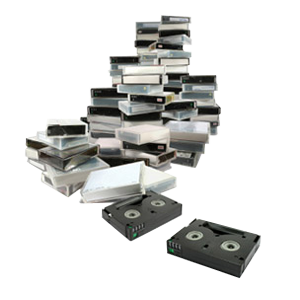
If your home movies are on VHS, VHS-C, Video8, Hi8, Digital8, MiniDV, or Betamax, they were likely recorded at standard definition or a similar analog quality level. A professional video transfer service can digitize these recordings while preserving as much detail as the original tape allows.
What Is High Definition Video?
High definition video, or HD video, has more picture detail than standard definition. Common HD resolutions include 1280 x 720, known as 720p, and 1920 x 1080, known as 1080p.
Today, HD is common on phones, streaming services, Blu-ray discs, and modern cameras. YouTube also supports higher resolutions, including 4K and 8K uploads for 16:9 videos. For older tapes, HD delivery can be useful, but the original recording still controls the real picture quality.
High Definition Vs Standard Definition
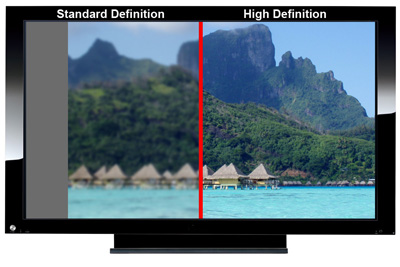
The main difference between HD and SD video is the amount of image detail. HD video contains more pixels, so it can look sharper on modern displays. SD video has fewer pixels. When SD footage is stretched across a large HDTV or 4K TV, the image may look soft, blocky, or blurry.
That doesn’t always mean the transfer was done poorly. It often means the original format had limited resolution. The best transfer goal is accurate preservation, not artificial sharpening that makes the video look unnatural.
What Is Low Definition Video?
Low definition video refers to video below standard definition quality. Older internet clips, early mobile videos, compressed downloads, and very small digital files may fall into this category.
Low definition video often looks soft because it contains limited image data. Enlarging it can make blur, compression blocks, and jagged edges more visible. In some cases, you can still organize and preserve low definition files, but conversion may not improve the image much visually.
Low definition is usually a digital-file issue, while VHS and many camcorder tapes are more commonly standard definition sources.
Why Old Home Videos Look Blurry On Modern TVs
Old home videos often look blurry on modern TVs because large screens reveal the limits of the original recording. A VHS tape was never designed for a 55-inch 4K display. Modern TVs also stretch older footage to fit widescreen screens.
If the original video was recorded in a 4:3 frame, the TV may enlarge it, crop it, or add sidebars. Each option can make old footage look different from how it did on a tube TV. A careful transfer helps preserve the original image without unnecessary distortion.
Can VHS Be Converted To HD?
VHS can be digitized into an HD file format, but the tape itself does not become true HD. The source image still comes from a standard definition analog recording.
This is important to understand. A 1080p file made from VHS may be easier to play on modern devices, but it will not contain the same detail as footage originally shot in HD. Professional VHS to digital transfer focuses on stable playback, clean capture, and practical digital delivery.
What Video Formats Are My Home Videos In?
Many families have more than one type of home movie format. Some are videotapes. Others are film reels. Each format has different transfer needs. Common home video and film formats include:
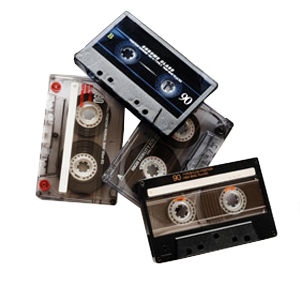
- VHS & VHS-C: Common tape formats for home recordings and camcorders.
- Video8 & Hi8: Small camcorder tapes used before many digital camcorders.
- Digital8 & MiniDV: Later camcorder formats with digital recording.
- Betamax: An older consumer videotape format.
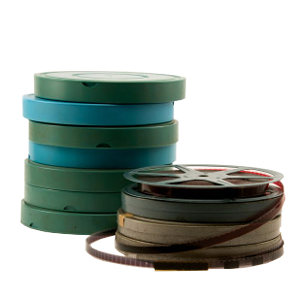
- 8mm Film: A film reel format, not a videotape.
- Super 8 Film: A film reel format often used for family movies.
- 16mm Film: A higher-quality film format sometimes used for events, schools, and archives.
The Difference Between 8mm Film & Hi8 Video
8mm film and Hi8 video are easy to confuse because their names sound similar. But they’re very different formats. 8mm film is a reel of photographic film with a series of tiny images scanned or projected frame by frame. Hi8 is a magnetic videotape format used in camcorders. It needs video playback equipment, not a film scanner.
What Resolution Is 8mm Film?
8mm film does not have a fixed digital resolution in the same way a video file does. Its final digital quality depends on the condition of the film, the lens used when it was shot, exposure, focus, grain, and scanning method.
A higher-resolution scan can capture more of the available detail from the film frame. That’s different from upscaling a VHS tape, because film is an optical image rather than a standard definition video signal. For families with small reels, 8mm film transfer helps convert fragile film into a modern digital format.
Why Transfer Quality Depends On The Original Source
Every transfer starts with the condition and quality of the original media. A well-preserved tape or film reel usually produces better results than one with mold, warping, fading, weak audio, or tracking problems. Professional equipment can stabilize playback and capture the best available signal. It cannot recreate detail that was never recorded. This is why careful inspection matters before transfer begins.
Best Transfer Options For Old Home Videos
The right transfer option depends on how you want to watch, store, and share your videos. Some customers want a simple DVD copy. Others prefer digital files for computers, phones, cloud storage, or family sharing. Popular delivery options include:
- Digital Files: Easy to store, copy, upload, and share.
- DVD Copies: Familiar playback option for those who still use DVD players.
- USB Drives: Convenient physical storage for multiple transferred videos.
- Cloud-Ready Files: Helpful for sharing with relatives in different locations.
When To Use A Professional Video Transfer Service
A professional video transfer service is especially helpful when tapes are old, fragile, poorly labeled, or difficult to play. Older VCRs and camcorders can damage tapes if the equipment is dirty or misaligned.
Professional transfer also helps when you have multiple formats. VHS, Hi8, MiniDV, 8mm film, and Super 8 film all require different equipment. Having one experienced team evaluate the collection can make the process easier and safer. DVD Your Memories can help customers in Southern California in-store or through mail-in service.
FAQs About Video Definitions
Here are quick answers to common questions about video resolution, old home movies, and digital transfer quality.
Why Do My Old Home Videos Look Blurry On Modern TVs?
Old home videos look blurry on modern TVs because many were recorded in standard definition. Large HD and 4K screens enlarge the original image, which makes softness, noise, and tape flaws easier to see.
How Long Do VHS Tapes Last Before They Go Bad?
There is no exact expiration date for VHS tapes. Storage conditions, tape quality, humidity, heat, and playback history all affect lifespan. If the tape contains important family footage, it’s better to transfer it before playback problems appear.
Is It Worth Digitizing Old VHS Tapes?
Yes, it’s usually worth digitizing old VHS tapes if the footage matters to you. VHS tapes continue aging, while digital files are easier to copy, organize, and share with family.
What Resolution Is 8mm Film?
8mm film does not have a fixed digital resolution. The useful scan quality depends on the original film condition, focus, exposure, grain, and scanning process.
What Is The Difference Between 8mm Film & Hi8 Video?
8mm film is a reel-based motion picture format. Hi8 is a magnetic camcorder tape format. They require different transfer equipment and different handling methods.
Can 8mm Film Be Converted To Digital?
Yes, 8mm film can be converted to digital through a film transfer process. The film is scanned or captured frame by frame, then saved in a modern digital format.
What Do The Letters Next To The Video Resolution Mean?
“P” stands for progressive, while “I” stands for interlaced. Older video formats like VHS and many camcorder tapes commonly used interlaced recording, while most modern digital video uses progressive video. During professional video transfer, preserving that original format helps maintain the best possible picture quality from the source material.
Protect Your Videos With A Better Transfer Plan
Old home videos were recorded in many different formats, and each has its own quality limits. Understanding the difference between HD and SD video helps you choose realistic transfer options and preserve your memories with fewer surprises.
DVD Your Memories helps Southern California families convert VHS, camcorder tapes, film reels, and other aging media into modern formats. Visit DVD Your Memories in store or use the convenient mail-in service to start your video transfer project and protect your home movies before the original media gets harder to play.