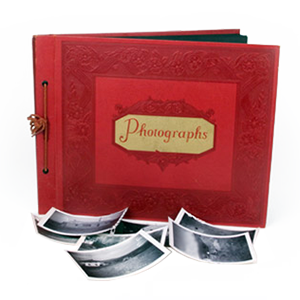



Digitizing photos, videos, and film is a major step toward preserving your memories. But what happens after digitization matters just as much. Without a clear system in place, digital files can quickly become scattered, duplicated, or difficult to locate. Learning how to organize digital photos and safely store digitized media helps ensure your memories remain accessible and protected for years to come.
This guide walks through simple, reliable ways to organize digitized files, back up old photos, and plan for long-term digital memory preservation.
Start With A Clear Organization Structure
The foundation of digital memory preservation is consistency. Before moving files into long-term storage, establish a folder structure that makes sense to you and will still make sense years from now.
Many people find success organizing by year first, then by event or family group. Others prefer organizing by media type, such as photos, videos, and documents. The most important factor is choosing one approach and using it consistently. Clear organization reduces the time spent searching for files and lowers the risk of accidental deletion.
How To Organize Digital Photos Effectively
Organizing digital photos becomes easier when each file is labeled and grouped in a meaningful way. This step prevents large collections from becoming overwhelming.
- Consistent File Naming: Use clear naming formats that include dates or events.
- Albums Or Folders: Group photos by milestone, trip, or family branch.
- Metadata & Tags: Add dates, locations, or names to improve searchability.
- Remove Duplicates: Delete repeated or low-quality scans to simplify your library.
Storing Digitized Media Safely
Once files are organized, secure storage becomes the priority. Storing digitized media correctly protects against hardware failure, accidental deletion, and data loss.
External hard drives offer convenient access, while cloud storage adds off-site protection. Many families choose a combination of both, ensuring files remain accessible even if one storage method fails. No single storage option is perfect on its own. Using more than one location adds an important layer of security.
Backing Up Old Photos & Videos
Backing up old photos is essential for protecting irreplaceable memories. Digital files are safer than physical media, but they are not immune to loss.
A strong backup plan includes multiple copies stored in different places. This approach ensures that if one copy is damaged or lost, another remains available. Regular backups also protect recent edits or newly added files from being lost.
Planning For Long-Term Digital Storage
Long-term storage for digital files requires occasional attention. Technology changes over time, and storage devices do not last forever.
- Regular Updates: Move files to new drives or platforms every few years.
- Environmental Protection: Store physical drives in cool, dry locations.
- Periodic Checks: Open files occasionally to confirm they remain accessible.
- Redundant Locations: Keep copies in more than one physical or cloud-based location.
Tools That Help Organize Digitized Files
Many tools exist to help organize digitized files more efficiently. Photo management software can assist with sorting, tagging, and searching, especially for large collections. Batch renaming tools, keyword tagging, and basic photo organization software can significantly reduce manual work. The right tools make it easier to maintain order as your collection grows.
Keeping Your Digital Archive Organized Over Time
Organization is not a one-time task. Setting aside occasional time to review new files, remove duplicates, and confirm backups helps keep your archive manageable.
Simple habits, such as organizing files immediately after digitization or scheduling periodic reviews, prevent clutter from building up again. Consistency is far more effective than perfection.
Preserve Your Digital Memories With Confidence
Organizing and storing your digital files after digitization protects the time, care, and memories invested in preserving them. With a clear structure, reliable backups, and long-term storage planning, your digital archive stays accessible and secure for years to come.
For families who want their digitized photos and videos handled with care from start to finish, DVD Your Memories helps turn physical memories into a well-organized digital collection built to last.