



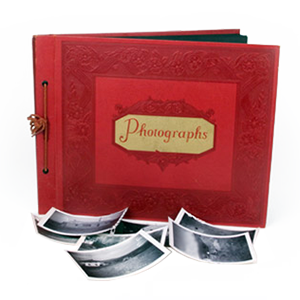


Many people who have treasured family photos stored in old magnetic albums know the frustration of dealing with sticky pages. These “sticky” or “magnetic” photo albums were popular in the past, promising a convenient way to store images. However, over time, the adhesive used in these albums can cause significant deterioration, making it difficult to remove and preserve the photos.
This guide will walk you through best practices for digitizing and preserving your photos stuck to old magnetic albums, ensuring that those memories are protected for generations.
Magnetic Album Deterioration Gets Worse With Age
Most magnetic albums use adhesive-coated pages covered by a plastic overlay sheet. As these materials age, the adhesive begins breaking down and bonding more aggressively to the photographs.
Magnetic album deterioration may happen slowly over decades. Many people do not notice the problem until photos become difficult to remove, or the pages start curling. Common signs of deterioration include:
- Yellowing Photos: Aging adhesive may discolor the image over time.
- Warped Pages: Album pages may bend or curl from adhesive breakdown.
- Plastic Sticking: The overlay sheet may bond directly to the photo surface.
- Residue Transfer: Adhesive may remain attached to the back or front of the print.
Rushing To Unstick Old Photos Can Cause Damage
Trying to quickly unstick old photos is a common cause of tearing and image loss. Older prints become fragile, especially around corners and edges where adhesive buildup is strongest. If a photo resists removal, forcing it usually causes more damage. A slow and controlled approach gives you a better chance of preserving the image before scanning.
Before attempting removal:
- Work In A Clean Area: Dust and debris can scratch fragile prints.
- Use Gentle Lighting: Good visibility helps reduce accidental tearing.
- Handle Photos Carefully: Hold prints by the edges whenever possible.
- Test Less Important Photos First: Practice your technique before handling valuable images.
Gentle Photo Separation Techniques Reduce Risk
Careful handling is essential when separating photos from sticky pages. Some albums release photos more easily than others, depending on the adhesive type and storage conditions.
Several gentle photo separation techniques may help loosen the adhesive without pulling directly on the print surface. Common methods include:
- Low Heat Application: A hairdryer on low heat may soften old adhesive slightly.
- Dental Floss Separation: Unwaxed dental floss can sometimes slide beneath the print to loosen adhesion.
- Slow Edge Lifting: Carefully lifting corners a little at a time may reduce tearing risk.
- Minimal Force: Let the separation method do the work instead of pulling on the photograph.
Photo Album Adhesive Removal Requires Patience
After a photo is safely removed, leftover adhesive may remain on the print. Some residue may come off easily, while older adhesive can become hardened or uneven. Harsh cleaning methods can damage delicate photo surfaces, especially older glossy prints. If adhesive removal feels risky, it may be safer to digitize the photo as-is rather than damage the image during cleaning.
Fragile Photos Need Extra Care During Scanning
Photo scanning fragile prints requires careful handling, especially when photos have curled edges, cracks, residue, or surface damage from old albums. Damaged photos may not sit flat on standard scanners. In some cases, the image surface can lift further during handling if the print has already weakened. Common scanning challenges include:
- Curled Corners: Bent edges may create shadows or uneven scans.
- Surface Tears: Damaged prints may separate further during handling.
- Adhesive Residue: Sticky areas can attract dust and affect image clarity.
- Faded Images: Older photos may require digital correction after scanning.
Digitize Photos Before Damage Becomes Permanent
The longer photos remain inside deteriorating magnetic albums, the greater the risk of permanent image loss. Adhesive breakdown, humidity, heat, and repeated handling can all make separation more difficult over time.
Choosing to digitize photos early helps preserve the image even if the original print continues aging later. Digital files also make it easier to share family memories, create backups, and organize collections for future generations. Many families choose digitization before attempting full album restoration because it reduces the risk of losing important images.
Professional Photo Digitization Services Can Help
Some albums become too fragile for safe at-home removal. In these situations, a professional service can help reduce the risk of tearing or additional damage. Professional equipment and handling techniques are especially useful for albums with severe adhesive problems, brittle prints, or overlapping photographs. Photo digitization services like DVD Your Memories include:
- High-Resolution Scanning: Captures more detail from aging prints.
- Fragile Photo Handling: Reduces stress on delicate images during scanning.
- Image Cleanup: Minor digital correction may improve faded or damaged photos.
- Mail-In Options: Albums can be safely shipped for digitization outside Southern California.
- In-Album Scanning: In the instances that removing photos from an album is too much of a risk, we can still digitize your photos.
Preserving Stuck Photographs Takes A Long-Term Approach
Properly preserving stuck photographs means thinking beyond removal. Storage conditions after digitization also matter. Original prints should be kept in acid-free containers away from heat, moisture, and direct sunlight whenever possible.
Digital backups are equally important. Saving copies to multiple locations helps protect against accidental file loss later. Simple preservation habits can make a major difference in keeping family photos accessible for future generations.
Protect Your Family Photos Before Sticky Albums Cause More Damage
Sticky albums and aging adhesive can permanently damage family photographs if the images remain trapped for too long. Careful removal, proper scanning, and digital preservation all help reduce the risk of losing important memories.
DVD Your Memories helps customers throughout Southern California safely digitize photos, preserve stuck photographs, and transfer fragile photo collections into lasting digital formats. Whether you visit locally or use convenient mail-in services, our team can help protect your photo collection before magnetic album deterioration causes irreversible damage.