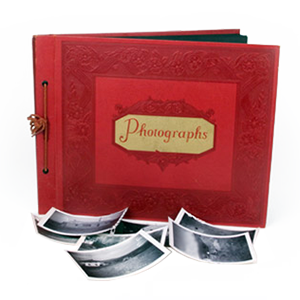


Many families across Southern California choose to digitize old photos, so printed images remain preserved and easy to share. Photo prints fade, bend, and deteriorate over time, which makes digital preservation an important step for protecting family history. Whether you scan photos at home or use a photo scanning service, converting printed photos to digital ensures your images remain accessible for future generations.
Why Digitizing Old Photos Protects Your Memories
Printed photographs are vulnerable to fading, moisture damage, and physical wear. Digitizing photos at home or through a photo digitization service preserves the image while making it easier to store and share.
- Long-Term Preservation: Digital files protect images from fading and physical deterioration.
- Easy Viewing: View digital photos on computers, phones, and televisions.
- Simple Sharing: Share images with family members through cloud storage or email.
- Space Saving Storage: Store thousands of photos digitally instead of in albums or boxes.
- Backup Protection: Save digital copies in multiple locations.
How To Prepare Old Photos For Scanning
Proper preparation improves results when you scan old photos at home or use a professional photo scanning service. Start by sorting photos by event or date, then wipe away dust with a soft cloth. Remove photos from frames or albums before scanning. Check each photo for tears or damage, then set aside fragile or important images for extra care.
How To Digitize Photos At Home
Some people choose to scan photos at home using a flatbed scanner. This approach allows you to control the process and work at your own pace when converting printed photos to digital files.
- Choose a flatbed scanner designed for photo scanning.
- Scan images at a minimum of 300 DPI for good quality.
- Save files in high-quality formats such as TIFF or high-resolution JPEG.
- Use photo editing software to adjust color or brightness.
- Store the files on a computer or external drive.
Challenges Of Digitizing Photos At Home
Digitizing photos at home can work well for small collections. The process becomes much more time-consuming when you need to scan hundreds or thousands of photos one at a time. Consumer scanners may capture less detail than professional equipment, which can affect image quality. Dust and scratches often show up during scanning, especially with older prints. As the project grows, file organization becomes harder to manage. Large photo collections also require significant digital storage space.
Why A Professional Photo Scanning Service Produces Better Results
A photo scanning service uses specialized equipment built for high-quality image capture. That equipment captures greater detail than most consumer scanners and helps produce cleaner, more consistent results. Professional services also improve faded photographs with color correction during processing. Trained technicians handle fragile or aging photos with greater care, and many providers offer digital photo restoration for damaged images.
At DVD Your Memories, we digitize entire photo albums much faster than most at-home setups. That speed makes the process more practical when you want to digitize a high volume of printed photos.
What To Expect From Scanning Photos Professionally
Professional photo digitization service providers follow structured workflows to ensure high-quality results when converting printed photos to digital files. Technicians begin by sorting and preparing photos before scanning, then use professional equipment to capture each image at high resolution. During processing, they adjust color, brightness, and exposure to improve image quality. Once complete, your files are organized into clearly labeled folders and delivered through USB or digital download for easy access.
Digital Photo Restoration Services Improve Aging Images
Some printed photographs fade or suffer damage over time. Digital photo restoration services can correct many common issues that affect aging images. For example, technicians can restore faded color, remove scratches or dust, and repair torn areas with software. They can also improve contrast and sharpness to create a cleaner final image.
Choose The Best Way To Digitize Old Photos
Deciding between scanning photos at home and using a photo scanning service depends on the size of your collection and the quality you want from the final images. If you have printed photos ready for preservation, visit one of the DVD Your Memories labs to start your photo digitization service and convert your printed photos into organized digital images.