


If you have old film negatives, the first step before scanning is figuring out which format you have. Film negative sizes can look similar at a glance, especially when they’re stored in old envelopes, photo lab sleeves, or mixed family boxes.
You don’t need to know every technical detail before using a negative scanning service. A few visual clues can help you tell what format your negatives are before you convert film to digital.
What Are Film Negatives?
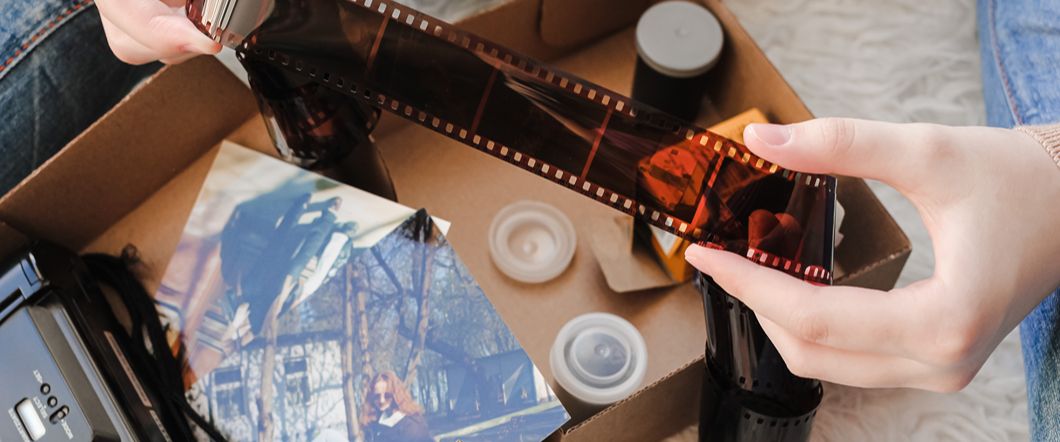
Film negatives are the original camera images created when light exposed the film inside the camera. The colors and brightness look reversed, which is why faces, skies, clothing, and backgrounds may appear strange until the negative gets scanned or printed.
Negatives matter because they often hold more detail than old photo prints. If you only have faded prints, you can still scan them. If you have the original negatives, you may get a cleaner digital image from the source. The most common formats that you’ll find are:
- 35mm: Used for everyday photography, professional work, and cinema.
- 110mm: Used in small, simple pocket cameras.
- 126mm: Used in easy-loading, square photo, Instamatic-style cameras.
- APS: Used in compact cameras with selectable image sizes.
- 120mm: Used in medium-format cameras for larger, higher-quality images.
Why Negative Format Matters Before Scanning
Different types of film negatives need different handling. A small 110 format negative won’t scan the same way as a larger 120 film negative size. APS negatives also create a different challenge because they usually stay inside a cartridge.
Knowing the format helps you understand what you have, how many images may be on each strip or roll, and what kind of digital files you may receive after scanning.
- Scanner Setup
- Image Size
- Cropping Needs
- Resolution Options
- Handling Requirements
- Final File Formats
35mm Negatives Are The Most Common
35mm negatives are one of the easiest formats to recognize. They usually come in strips with rectangular frames and sprocket holes along both edges. Many family snapshots from point-and-shoot cameras and older SLR cameras used 35mm film.
If your negatives came back from a photo lab in strips of four to six images, you likely have 35mm negatives. The image area looks larger than 110 or 126, but smaller than medium format film.
110 Format Negatives Are Much Smaller
110 format negative strips are small and narrow. They often came from compact pocket cameras that were popular for casual family photos, vacations, school events, and everyday snapshots.
Because the image area is tiny, 110 negatives can look harder to identify and may show less detail than larger film formats. Still, careful scanning can help preserve images that may not exist anywhere else.
- Very Narrow Film Strip
- Small Image Frames
- Often From Pocket Cameras
- Common In Family Snapshot Collections
- May Look Grainier When Enlarged
- Easy To Miss In Mixed Photo Boxes
126 Negatives Look Different From 35mm
126 negatives often look wider than 110 and usually have a square image frame. Many 126 cameras were simple cartridge cameras, so this format often appears in older family collections from the 1960s through the 1980s.
If your old photo sizes are square and the negatives match that square shape, you may have 126 film. The strip may also look less familiar than 35mm because it doesn’t have the same common rectangular frame pattern.
APS Negatives Usually Stay In A Cartridge
APS negatives can confuse people because you may not see the film right away. APS film often stays inside a small cartridge after processing. The cartridge may include markings that help identify it as Advanced Photo System film.
You shouldn’t pull APS film out by hand. The cartridge protects the negatives, and forcing it open can scratch or damage the images. If you find small film cartridges in a photo box, set them aside for professional review.
120 Film Negatives Are Larger
The 120 film negative size stands out because it’s much larger than 35mm, 110, 126, or APS. Photographers often used 120 film in medium format cameras, so you may find it in portrait sessions, older studio work, weddings, or more serious hobby collections.
Large negatives can hold strong detail when they’re in good condition. If you find wide strips with large square or rectangular frames, you may have 120 film rather than a standard consumer snapshot format.
Photographic Transparencies Are Different From Negatives
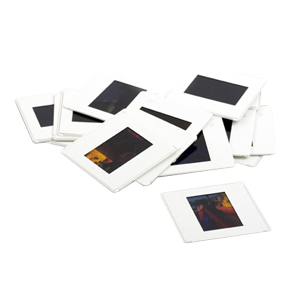
Photographic transparencies, often called slides, don’t look like regular negatives. Instead of reversed colors, the image looks positive when you hold it up to light. Many slides came mounted in small cardboard or plastic frames.
Slides need scanning too, but they follow a different process than film negatives. If you have both slides and negatives in the same box, separate them before sending them in or dropping them off.
Old Movie Formats Are A Separate Category
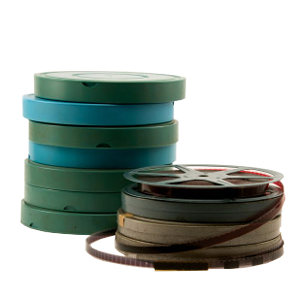
Old movie formats can look similar to photo negatives if you find loose reels or strips, but they serve a different purpose. Movie film contains a sequence of tiny frames meant for motion, while photographic negatives usually contain individual still images.
If you find reels, small spools, or film with many tiny repeating frames, don’t mix it with still photo negatives. You may have 8mm, Super 8, 16mm, or another motion picture format that needs film transfer instead of standard negative scanning.
How To Sort Negatives Before Digitizing
You don’t need to make a perfect inventory before scanning, but a little sorting helps. Keep each envelope, sleeve, cartridge, or roll together when possible. Original packaging can include dates, names, locations, and lab notes that help preserve the story behind the images.
Avoid cutting strips, taping pieces together, or cleaning negatives with household products. Handle them by the edges and keep them flat, dry, and protected from dust while you sort.
What To Do If You Aren’t Sure Which Format You Have
Mixed collections are common. You may have 35mm negatives from one decade, 110 from another, APS cartridges from a later camera, and slides from a family trip. You don’t need to identify everything perfectly before asking for help.
A trained scanning team can inspect the material and separate formats before digitizing. That matters when you want a clean process, accurate handling, and digital files that fit the way you plan to share or store your images.
Convert Film To Digital With DVD Your Memories
DVD Your Memories helps preserve old negatives, slides, photos, and film collections for customers in Southern California and through mail-in services. If you found a box of 35mm negatives, 110 format negatives, APS negatives, or mixed family media, our team can help you identify what you have and convert film to digital with careful handling.