Photo Scaninning

Photo
Scanning

Slide Scaninning

Slide Scanning

Negative Scanning

Negative Scanning

Video Transfer

Video Tape Transfer

Film Transfer

Film
Transfer

Audio Transfer

Audio Transfer

Slideshows

Celebration
Videos

Transfer CDs to Your Computer as MP3 Files

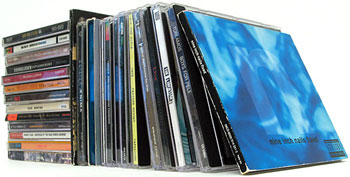
Bring your favorite albums into the digital age with DVD Your Memories’ professional CD to MP3 conversion service. We convert your music CDs to high-quality digital audio files—like MP3, AAC, FLAC, Apple Lossless & WAV—giving you the freedom to enjoy your collection anywhere: on your phone, in your car, or through your favorite streaming device.
Audio Ripping

Convert CDs to Audio Files

MP3, FLAC, Apple Lossless Audio Codec(ALAC), m4a and WAV
Only $0.99 per CD

All Orders: This service is for commercially produced audio CDs only. Pricing above is for discs pre-loaded on provided spindles. We prefer that your media be pre-loaded on spindles, however, if you prefer not to use spindles, our technicians can carefully remove each disc and place it back in its respective jewel casing for $0.50 per CD.
  • For sequential or chronological CD ripping, additional charge of 25% of the base price applies.
  • Minimum of $25.00 per order.
  • File Formats: The first file format you choose is included with the cost of the CD rip. Any additional formats can be provided for an additional $0.15 per disk (not per file!). If you’re worried about quality loss due to compression, FLAC or Apple Lossless is a great choice. Otherwise, the most common file format is 320kbps MP3, as these are great for high quality sound, while still preserving your hard drive space. Some of the most popular formats are: MP3, FLAC, Apple Lossless Audio Codec and WAV.
  • Rush Orders: Need your CD Ripping done ASAP? Rush orders available. Contact us for details.
  • Folder and File Naming: Our standard is to provide your files back to you organized by Artist, Album, Track number and name. We can set up custom file and folder naming if you wish at a one-time $25 set up charge per custom naming system used. If you’d like custom file/folder naming, go over the details with us to make sure you get what you need when we take your order.
  • Supported Devices: We can provide audio files compatible with a wide variety of digital devices including iPod, iPhones, Android Phones, Zune, car stereos, computers, laptop computers, MP3 Players and more! Please let us know which specific devices you plan on using when choosing a file format, as different devices have different requirements.

Keep in Order

Orders are typically returned with 95% of the CDs in the same order as we received them. This will help you when you get your order back as you’ll be able to easily place them all back in their original jewel cases. If for any reason you must have everything returned in exactly the same order as it was provided, we can accomodate this need, however an additional charge of 25% of the base price applies.

If you are unable to reach one of our five locations, simply place your order online. ORDER ONLINE

Geek Corner

Understanding Common Audio Formats

MP3

MP3s remain the world’s most common digital music format, offering a balance of quality and storage efficiency. It’s the go-to choice for anyone looking for a high-quality MP3 conversion that preserves clarity while minimizing file size.

  • Compression Type: Lossy. Some data is discarded to reduce the file size.
  • Quality Impact: Slight quality loss, but minimal for casual listeners.
  • File Size: Roughly 10% of the original CD track size.
  • Best For: Everyday listening, car stereos, mobile devices, and streaming.
  • Limitations: Not ideal for audiophiles who require full, uncompressed fidelity.

Because MP3s are compact and universally supported, they’re perfect for digital music transfer services that help you convert music CDs to digital formats for modern playback. However, audiophiles typically like to steer clear of MP3 audio due to the fact that it is a format that trades sound quality for file size, and so it won’t sound quite as good as a lossless format.

WAV

Microsoft and IBM developed the WAV (Waveform Audio File Format), which remains the standard format for CD-quality audio, especially on PCs. It delivers uncompressed, true-to-source sound ideal for professional work and digital audio backup.

  • Compression Type: Typically uncompressed and supports Linear Pulse Code Modulation (LPCM).
  • Bit Depth & Rate: 16-bit, 44.1 kHz, identical to CD audio quality.
  • Quality: True lossless reproduction with zero data loss.
  • Editing: Preferred for audio editing, mastering, and archiving due to its precision.
  • Limitations: Large file sizes averaging 40–50 MB per song and a 4 GB maximum file size because of its 32-bit header structure.

For anyone who wants to convert compact discs into studio-quality files, WAV offers exact digital replicas of your CDs with every detail preserved.

AAC

AAC (Advanced Audio Coding) was created to surpass MP3 in both sound quality and efficiency, offering better performance at similar bitrates. It’s a great option within any professional CD ripping service.

  • Compression Type: Lossy but more efficient than MP3.
  • Quality: Produces clearer sound at smaller file sizes compared to MP3.
  • Compatibility: Works seamlessly with iPhone, iPad, iPod, iTunes, PlayStation 3, Nintendo DSi, and most major streaming platforms.
  • Best For: Apple users and listeners who want enhanced audio quality with smaller file sizes.

AAC provides high-quality digital audio transfers that combine convenience with clarity and are one of the most widely supported playback formats available.

FLAC

FLAC (Free Lossless Audio Codec) combines full audio fidelity with smaller file sizes, maintaining every bit of your original CD sound while saving storage space.

  • Compression Type: Lossless with no data or quality loss, and decompresses into an identical copy of the original data.
  • File Reduction: Reduces file size by about 50–60% without affecting sound quality.
  • Playback Support: Compatible with most modern computers, media players, and high-end audio systems, though older devices may have limited support.
  • Best For: Long-term archiving, critical listening, and large digital collections.

FLAC provides an excellent balance between sound integrity and file efficiency, making it ideal for preserving your music library in professional-grade quality.

Apple Lossless

Apple Lossless Audio Codec (ALAC), also known as ALE, was designed for iTunes and Apple devices to provide full-fidelity, lossless compression.

  • Compression Type: Lossless, similar to FLAC.
  • File Container: Stored in an MP4 container (.m4a extension).
  • Origin: Initially proprietary; made open-source and royalty-free in 2011.
  • Compatibility: Seamless with Apple Music, iTunes, and iOS devices.
  • Best For: Listeners using Mac, iPhone, or iPad who want maximum quality and native compatibility.

If your music library lives in the Apple ecosystem, ALAC ensures flawless playback and perfect preservation of your original CD recordings.

CD Ripping & Conversion

What Is CD Ripping?

CD ripping converts your physical music CDs into organized digital files you can play anywhere. The process:

  • Extracts digital audio data from each disc.
  • Converts it into your chosen format (MP3, FLAC, WAV, etc.).
  • Tags songs with artist, album, and track names.

You end up with a digital music library that mirrors your CD collection, ready for computers, cloud storage, or mobile playback.

Supported Media For CD Conversion

We are equipped to handle commercially produced compact disc audio (CD). If you have recordings on other media types like cassette tapes or vinyl records, DVD Your Memories can convert those through our specialized audio transfer services. For larger projects or extensive collections, contact us directly for custom bulk pricing from our audio transfer experts.

Storage & File Size Considerations

The number of albums your drive can hold depends on your chosen format:

  • MP3 (320kbps): Thousands of albums per terabyte.
  • WAV: Several hundred albums per terabyte due to large file size.
  • AAC (256 kbps): With the small file size of 75–80 MB per average album, you can store about 13,000 albums per terabyte.
  • FLAC: At roughly 250 MB per average album, you can store about 4,000 albums per terabyte.
  • Apple Lossless (ALAC): 300 MB per album is on the larger end, so you can store about 3,300 albums per terabyte.

If you’re unsure, we’ll estimate total space requirements before your conversion starts.

Transferring Music To iPod Or Mobile Devices

We can transfer your converted digital files directly to an iPod, smartphone, or other portable player. In most cases, however, the total amount of data from your CDs is too large to fit on a single device.

Even when space allows, there’s a significant risk of accidental file loss once the iPod syncs with a computer. A single sync can erase your entire library, especially on older versions of iTunes, where this option is enabled by default. iTunes also restricts copying music from an iPod back to a computer, which prevents you from sharing or backing up those files later.

For these reasons, we always deliver your new music on a hard drive to keep your collection secure. We can also load a copy onto your iPod or mobile device upon request.

Keeping The Audio Quality Up

Audio Quality Options

Your final audio quality depends on the compression level and format chosen:

  • 192kbps Or 256kbps MP3: Excellent casual listening sound and small file sizes.
  • FLAC, WAV, Or Apple Lossless: Full-quality archival copies and larger storage requirements.

We’ll help you pick the best combination based on your listening preferences and available storage.

Audio Restoration Services

If your recordings contain background hiss, hum, or distortion, our audio restoration specialists can help bring them back to life. Our technicians are trained to handle delicate, aging media and can often:

  • Reduce pops, clicks, and surface noise.
  • Correct volume inconsistencies.
  • Restore tonal balance and clarity.

Each project is carefully reviewed to achieve the cleanest possible sound without damaging the original recording.

FAQs About CD To MP3 Conversion

What’s The Difference Between Lossy & Lossless Formats?

Lossy formats like MP3 and AAC remove inaudible data to save space. Lossless formats like FLAC and ALAC keep 100% of the original sound.

Do You Convert Homemade Or Burned CDs?

Our service is designed for commercially produced discs. For custom recordings, reach out to discuss possible transfer options.

Can I Choose Multiple File Formats?

Yes. Your first format is included in the initial agreement, and you can request additional ones for a small per-disc fee.

How Long Does The Conversion Take?

Processing time depends on your order size. Rush service is available if you need results quickly.

Do You Store My Files After Conversion?

No. We delete all files from our systems after delivery to protect your privacy and data.

Preserve Your Music Collection Today

Your favorite albums deserve better than sitting on a shelf. With DVD Your Memories, you can convert compact discs through our CD ripping service and digital music transfer service into long-lasting digital files.

Trust our audio transfer experts for high-quality MP3 conversion and lossless options that keep your collection alive for decades. Bring in your CDs today or contact us to convert music CDs to digital and rediscover your music in stunning clarity.
From the Blog

Best Way to Ship Videotapes & Vinyl Records

When shipping important media like video tapes and vinyl records, it is vital that you pack them safely and securely. The last thing you want is to break or otherwise damage your recordings! The first step is to acquire a sturdy box. Heavy duty cardboard is prefered, as often times packages are thrown around during...
Read More

Transferring Audio Reels to CD in Los Angeles

Los Angeles reel to reel audio to CD services Brief History Reel to Reel audio is a form of magnetic tape audio recording in which the tape is actually held on a reel, rather than being enclosed within a cassette. The reel which holds the tape, also called the supply or feed reel, is attached...
Read More

GUIDE: How to Rip a CD to MP3 Using Windows Media Player

CD Ripping or transferring your CDs to your computer’s hard drive has several advantages. For one, it allows you to make duplicate, backup copies of your favorite music as either a pieced-together mix tape, or a complete copy of the original CD. Secondly, it allows you to consolidate your entire music collection into one location...
Read More

GUIDE: How to Convert LP Vinyl Records to CD or MP3

Depending on when you were born, you are probably familiar with the old gramophone record. Also known as a phonograph record, or simply record, is an analog-based sound storage and playback mechanism consisting of a flat disc with inscribed spiral grooves running along the inside of the record. The groove starts at the outer edge...
Read More