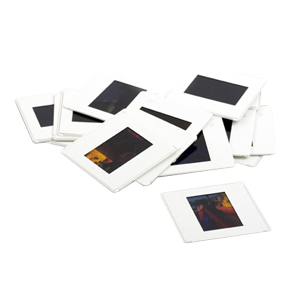

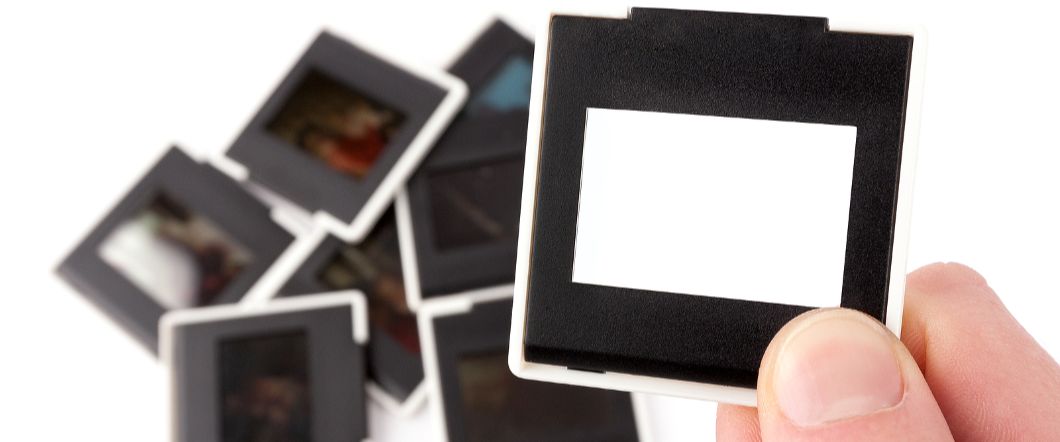
Film doesn’t last forever. Learning how to convert slides to digital is an effective way to preserve aging photo slides before colors fade and film deteriorates. Many families across Southern California rely on DVD Your Memories when they want to protect decades of memories stored in 35mm slides. Converting slides to digital images makes them easier to view, share, and store while protecting the originals from damage.
Why Converting Slides To Digital Protects Your Photos
Boxes of slides often sit in storage for years, but the film inside them slowly fades and deteriorates over time. Converting slides to digital protects the images while making them accessible on modern devices. Digital images do not fade or deteriorate the way photographic film can, and digital files can be viewed on computers, phones, and televisions.
- Simple Sharing: Photos can be shared with family members through email or cloud storage.
- Space Saving Storage: Thousands of images can be stored digitally instead of in slide boxes.
- Backup Protection: Digital copies can be stored in multiple locations.
Preparing 35mm Slides Before Digitizing Them
Before scanning slides to digital, preparing the slides properly helps improve image quality and prevents scanning issues. Dust, fingerprints, and damaged mounts can affect the final digital image. Use a microfiber cloth or air blower to remove dust, cleaning them carefully.
- Check For Damage: Inspect slides for scratches, mold, or cracked mounts.
- Separate Important Slides: Prioritize slides with historical or sentimental value.
- Sort Slides In Order: Organizing slides beforehand helps keep the digital files organized.
Choosing Equipment For Slide To Digital Conversion
Several tools can be used for slide conversion to digital, and the equipment you choose can affect image quality and workflow speed. Dedicated slide scanners are designed specifically for scanning 35mm slides and typically produce the highest resolution results. Flatbed scanners with slide adapters offer a more versatile option, while compact film scanning devices are often used for quick transfers. For the best quality and efficiency, many people choose professional slide conversion services that use specialized equipment to capture greater detail and color accuracy.
Understanding Resolution When Scanning Slides To Digital
Resolution plays a major role in determining the final image quality when transferring slides to digital. Higher DPI settings capture more detail from the original film, with most experts recommending a range between 2400 and 4000 DPI. While higher resolution produces larger file sizes, it also preserves more image detail, allowing for better cropping and editing later.
Step-by-Step Process For Converting Slides To Digital
The process of digitizing slides involves scanning the film image and converting it into a digital file that can be stored and viewed on a computer.
- Set Up The Scanner: Install scanning software and connect the scanner to your computer.
- Place The Slide In The Scanner: Insert the slide into the slide holder or scanning tray.
- Adjust Scanner Settings: Select resolution, color correction, and file format.
- Scan The Slide: Capture the image using the scanning software.
- Save The File: Export the digital image to your computer.
Tips For Maintaining Quality During Slide Digitization
Maintaining image quality is one of the biggest concerns when converting slides to digital images. Careful handling and proper settings can help protect the detail and color captured in the original slide.
- Handle Slides By The Edges: Touching the film surface can leave fingerprints.
- Keep Equipment Clean: Dust on scanners can appear in the final image.
- Use Proper Resolution Settings: Higher resolution captures more image detail.
- Calibrate Scanners When Possible: Calibration helps maintain color accuracy.
- Edit Images Carefully: Minor adjustments can improve brightness and contrast.
Common Challenges When Scanning Slides To Digital
People converting slides at home often encounter issues related to aging film or scanning equipment limitations. Understanding these challenges helps you plan a better slide transfer to digital workflow.
- Color Fading In Older Slides
- Dust And Scratches Visible In Scans
- Inconsistent Exposure Between Slides
- Scanner Limitations That Reduce Detail
- Time Required To Digitize Large Slide Collections
Why Professional Slide Scanning Often Produces Better Results
Many people try scanning slides at home, but consumer scanners and DIY setups often struggle to capture the full detail and color contained in 35mm film. Professional slide to digital conversion uses specialized equipment designed specifically for film scanning, which helps preserve image quality and reduces common issues like color fading, dust artifacts, and loss of detail.
- Higher Resolution Film Scanners: Professional scanners capture significantly more detail than most home scanners.
- Better Color Accuracy: Professional calibration restores natural colors from aging slides.
- Dust & Scratch Removal: Advanced scanning equipment reduces visible dust and scratches.
- Faster Processing For Large Collections: Professional services can digitize large slide libraries efficiently.
- Proper Handling Of Fragile Slides: Experienced technicians reduce the risk of damage during scanning.
Storing & Organizing Digital Slide Images
After converting slides to digital, organizing the files properly makes it easier to locate and share images later. Store your files on external hard drives and maintain cloud backups whenever possible. Good file management prevents confusion and protects your digital archive. You should use descriptive file names for each photo, and then organize them into folders by year or event type.
Preserve Your Slides Before Film Quality Declines
35mm slides contain family memories, travel photography, and historical moments that deserve long-term preservation. Converting slides to digital protects those images and makes them easier to view and share. If you have slides ready for digitization, contact us to start your slide to digital conversion and preserve your photos as high-quality digital images.